> For the complete documentation index, see [llms.txt](https://docs.merchant.alb.ua/llms.txt). Markdown versions of documentation pages are available by appending `.md` to page URLs; this page is available as [Markdown](https://docs.merchant.alb.ua/en/payment-widgets-for-cms/joomla-+-virtuemart/functionality.md).
# Functionality
### Order creation process
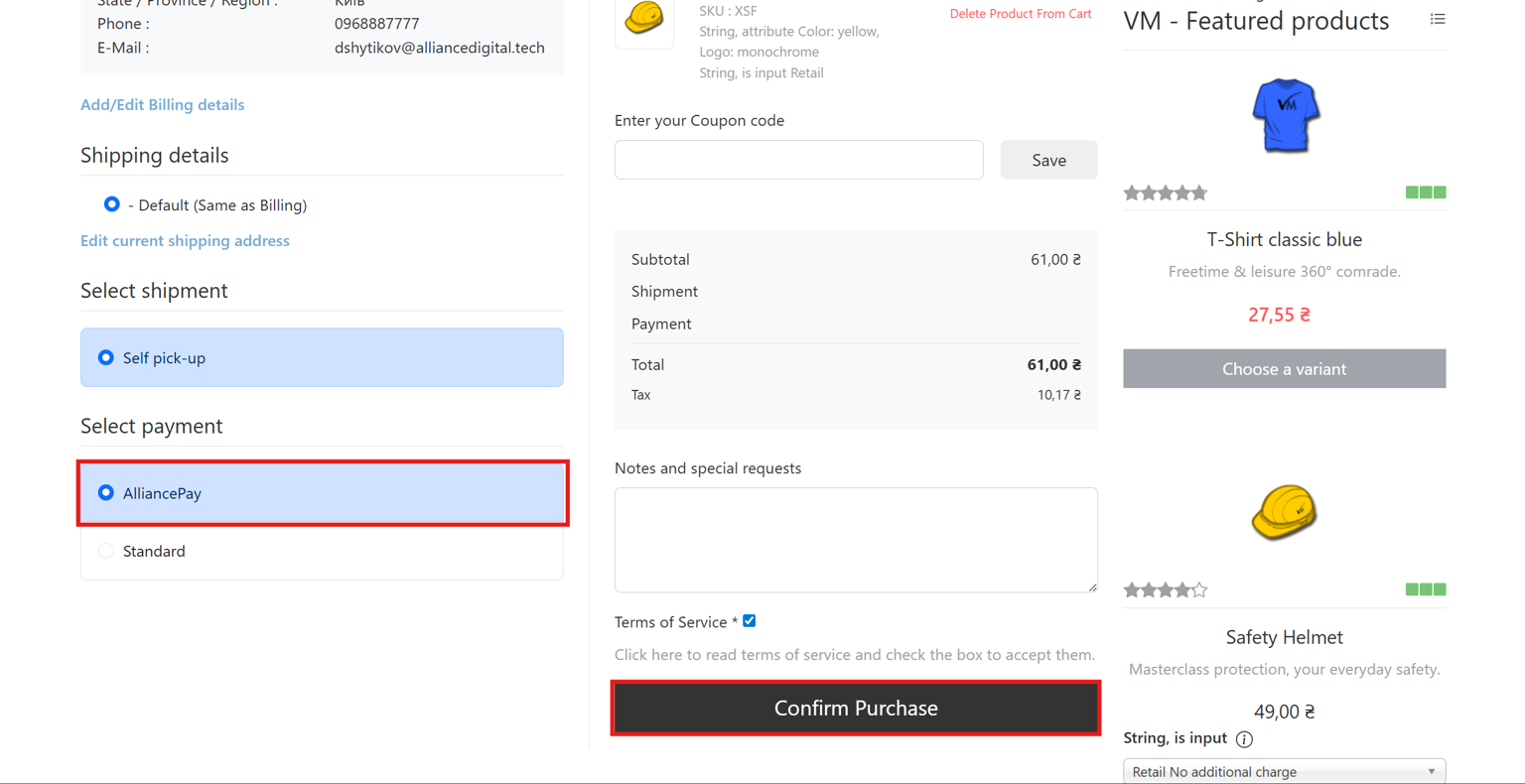
After the customer has selected the products and gone to the payment page, they need to choose the payment method via "AlliancePay"
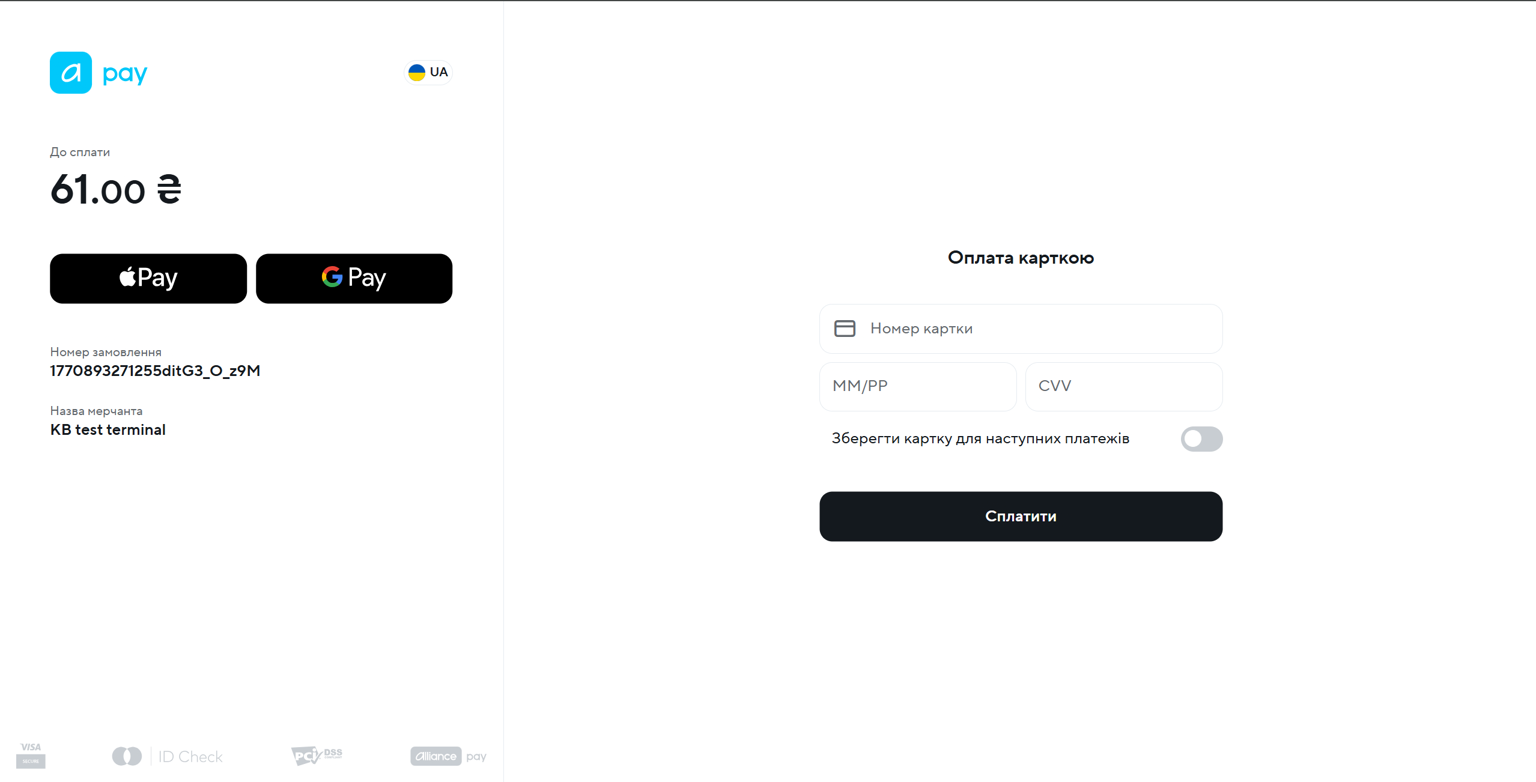
After that, the buyer is redirected to the payment page to enter personal data.
### View orders in the admin panel
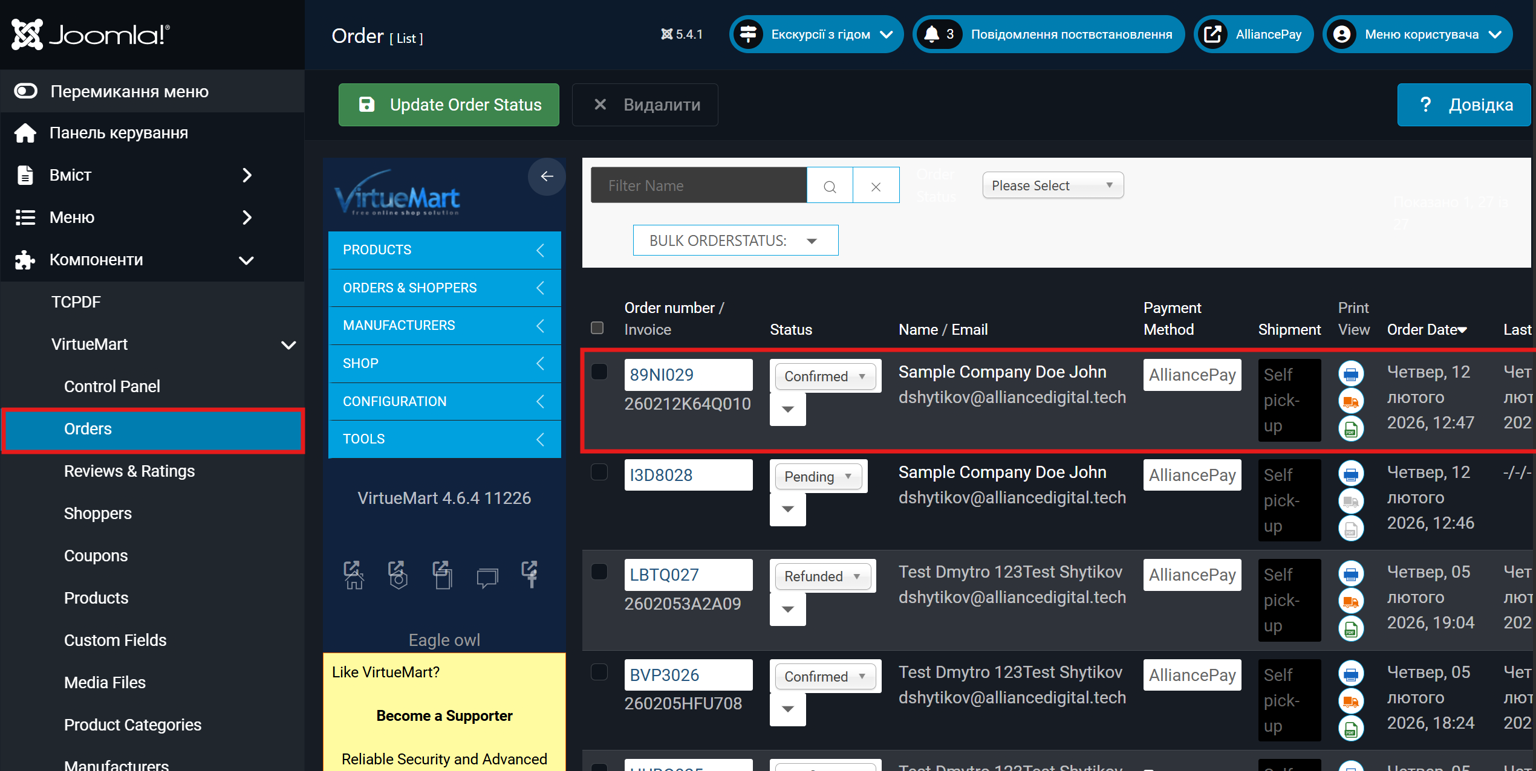
To view all orders, go to `Components → VirtueMart → Orders`
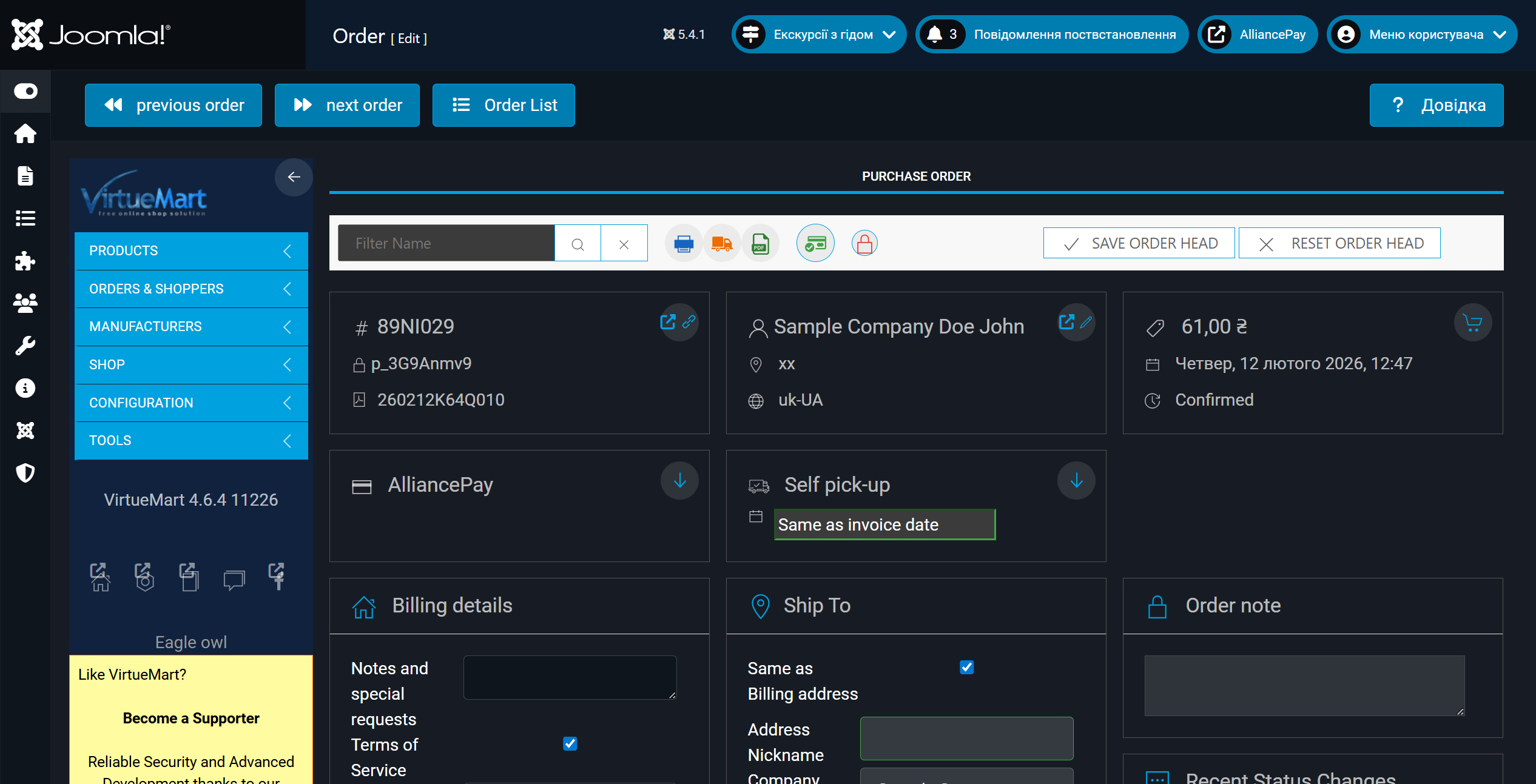
Viewing payment details is done by clicking on the value in the `"Order number/Invoice"` column.
### Перевірка статусу замовлення
{% hint style="info" %}
У разі виникнення проблем з статусом замовлення, присутній функціонал ручної перевірки
{% endhint %}
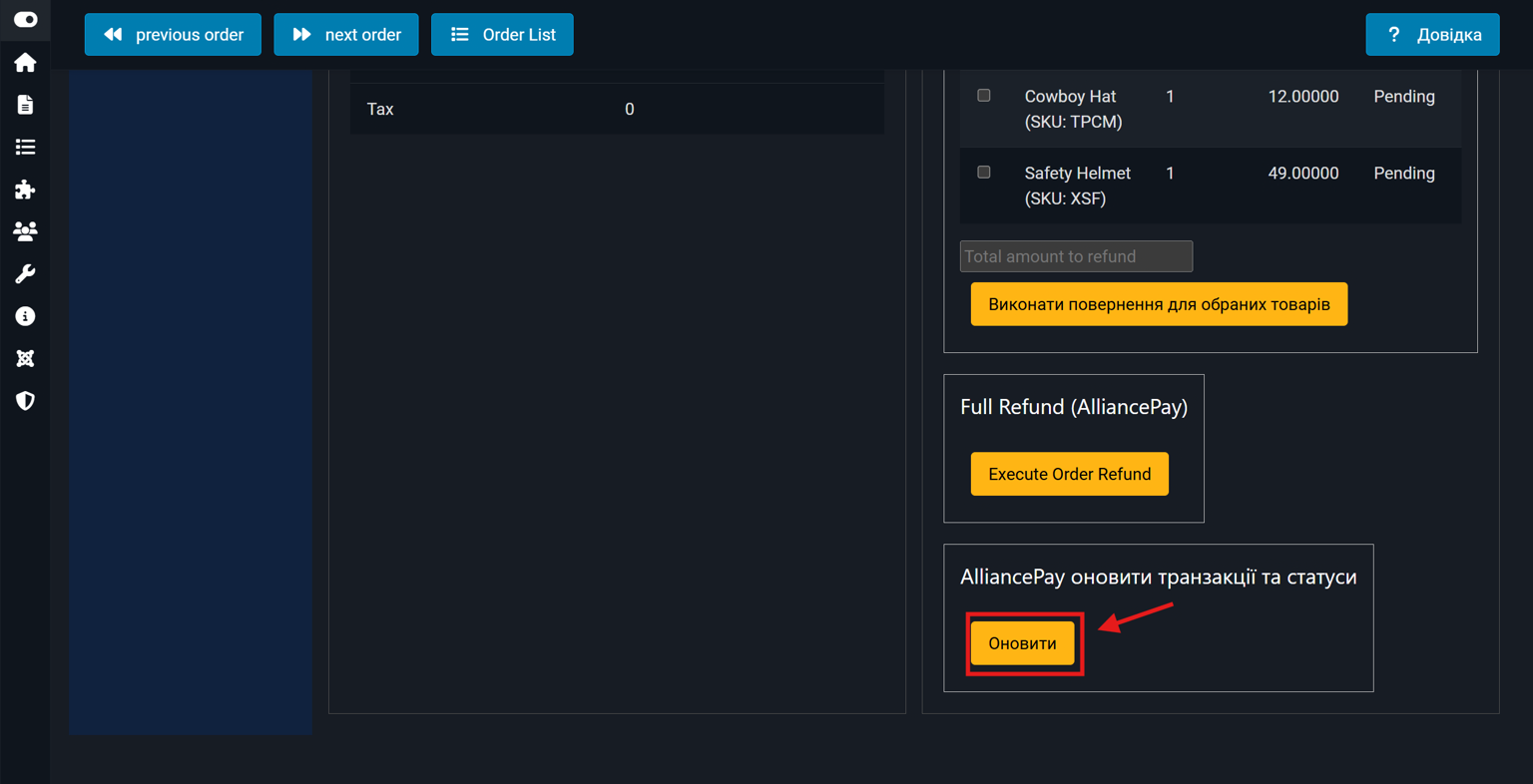
In the payment details there is a section "AlliancePay update transactions and statuses"
When you click the "Update" button, the payment status will be checked.
### Making returns
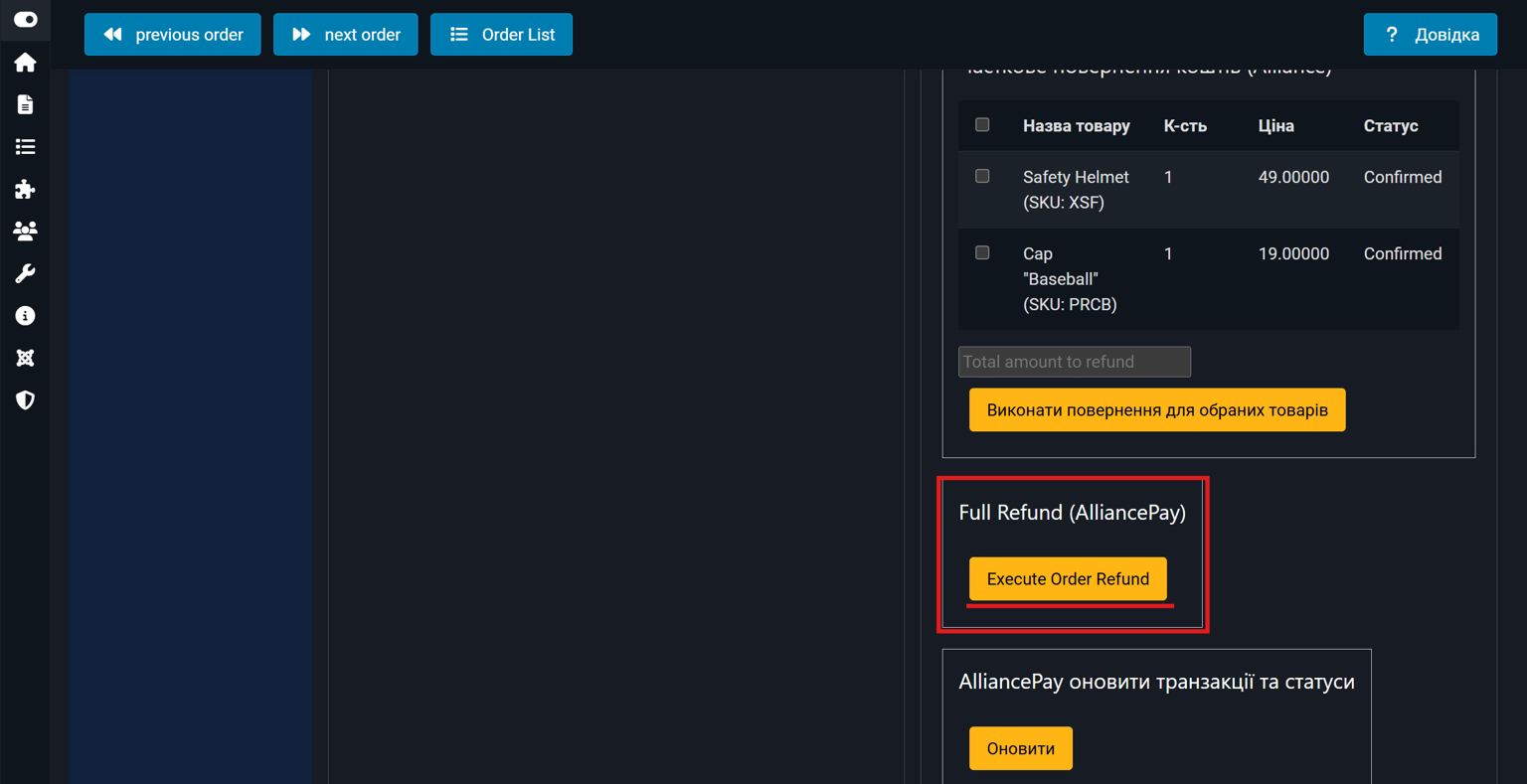
In the payment details, you can find two sections "Partial Refund (Alliance)" and "Full Refund (AlliancePay)"
{% hint style="info" %}
Обов'язково "Статус оплати" плтежу повинен мати "SUCCESS", що вказує на його успішність

{% endhint %}
{% tabs %}
{% tab title="Partial refund" %}
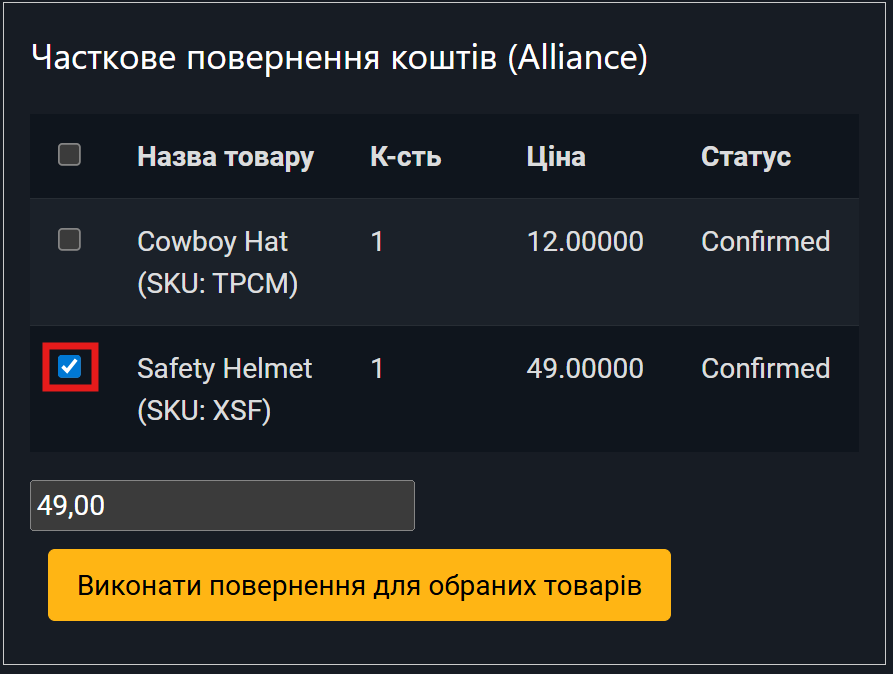
To perform a partial refund, in the "Partial refund (Alliance)" section, you need to use the checkboxes to select the products for which the refund will be performed.
Thus, the system automatically calculates the amount for the selected products
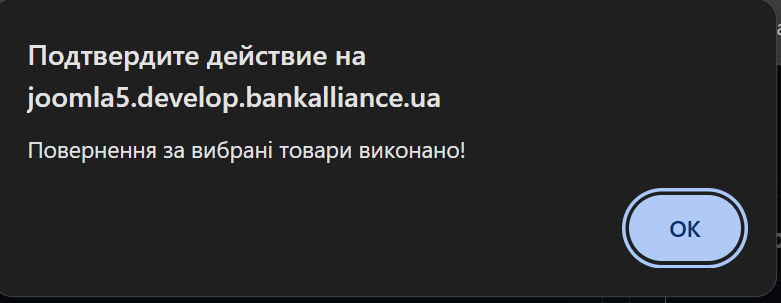
After that, you need to click the "Return for selected products" button, a window will immediately appear with a message about a successful partial return
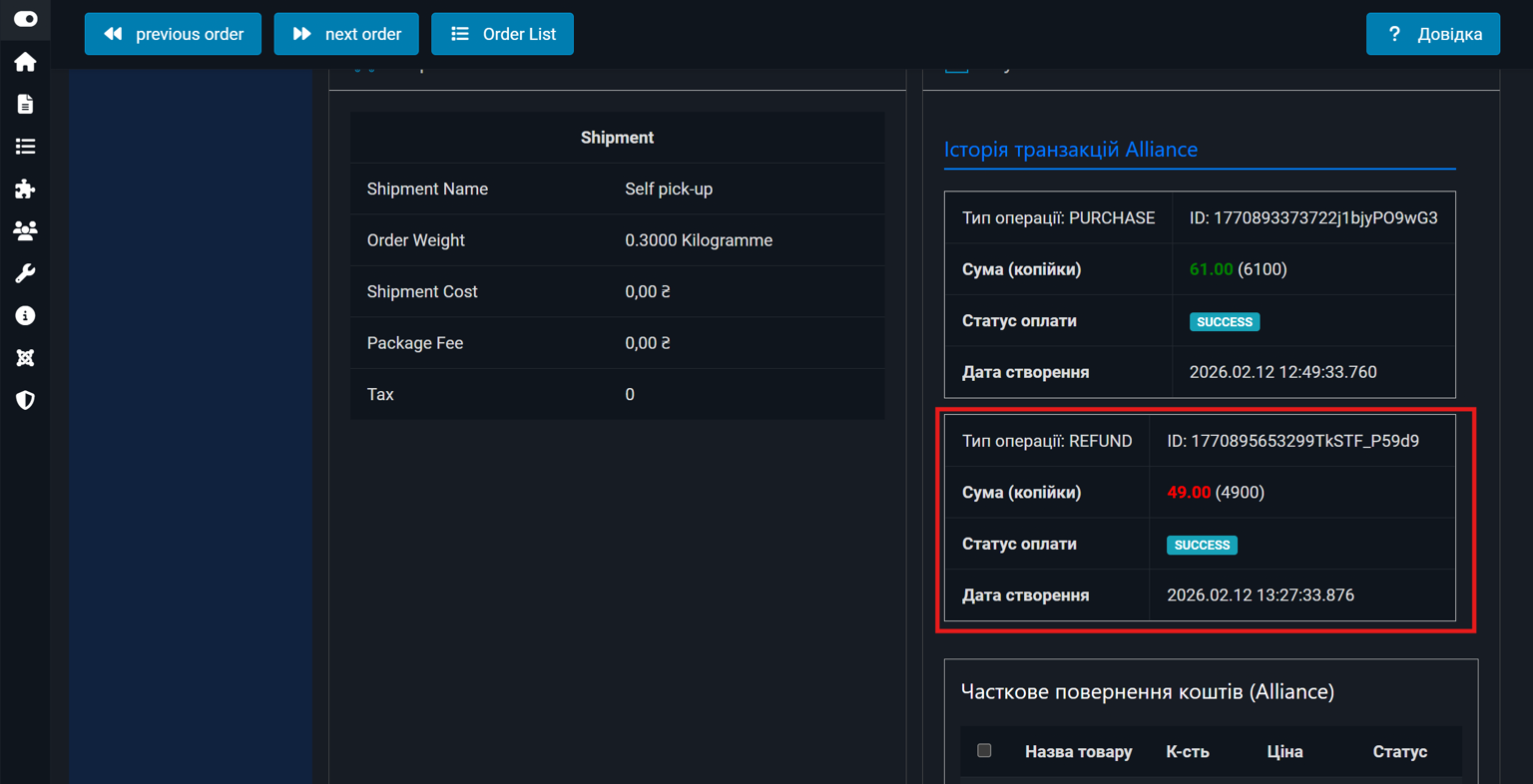
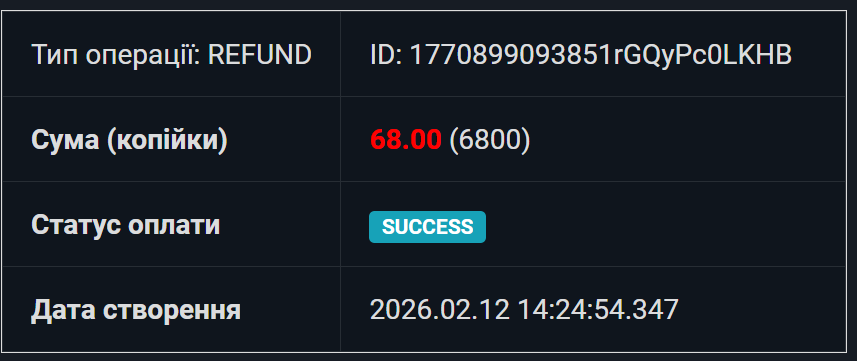
In the payment details in the "Alliance Transaction History" section, a new payment with the transaction type "REFUND" will appear.
{% endtab %}
{% tab title="Full refund" %}
To perform a full refund, click the "Execute Order Refund" button in the "Full Refund (AlliancePay)" section.
After that, a new payment with the transaction type "REFUND" will appear in the "Alliance Transaction History" section.
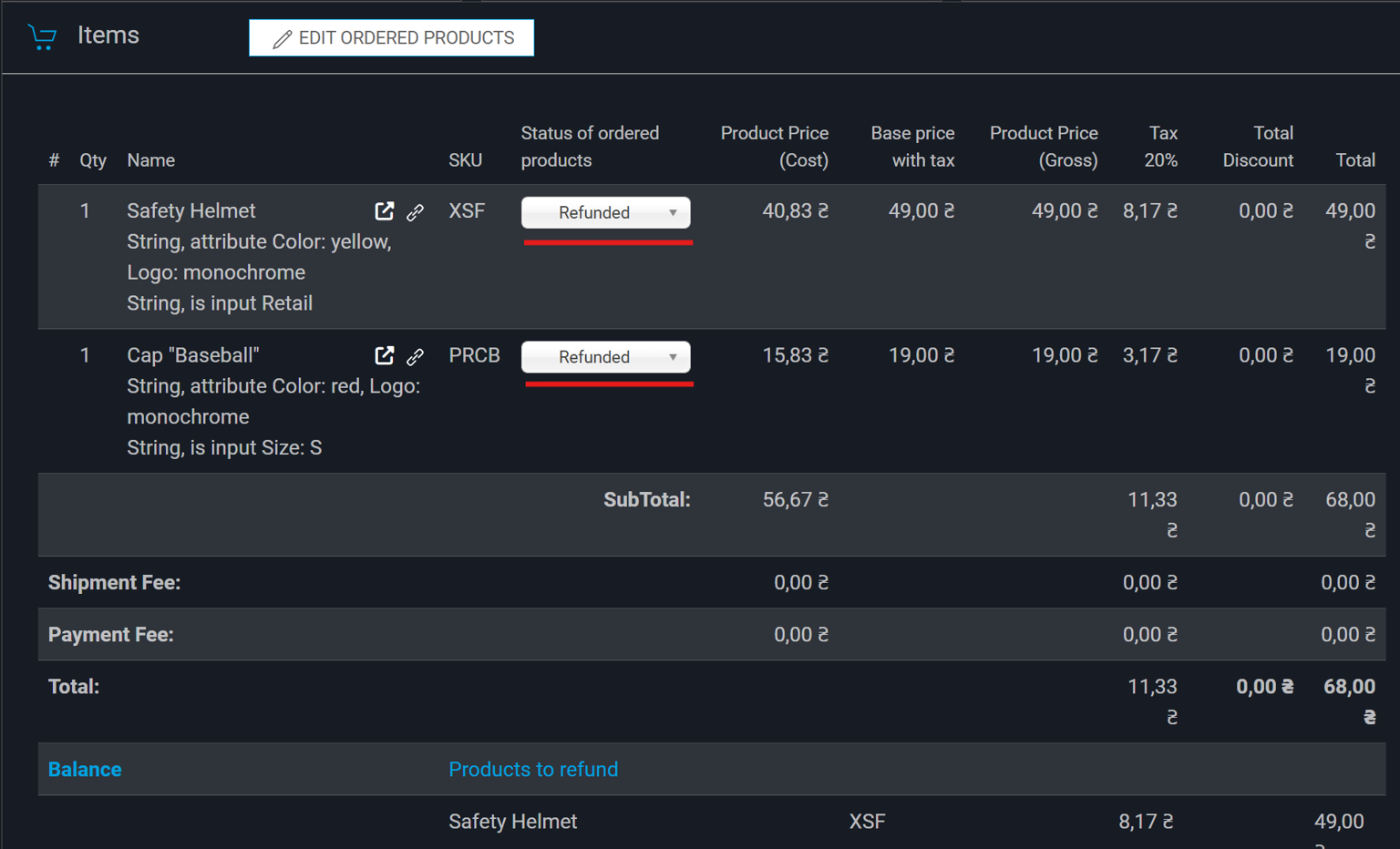
And also in the "Items" section, each product will receive the status "Refunded"
{% endtab %}
{% endtabs %}