> For the complete documentation index, see [llms.txt](https://docs.merchant.alb.ua/llms.txt). Markdown versions of documentation pages are available by appending `.md` to page URLs; this page is available as [Markdown](https://docs.merchant.alb.ua/en/payment-widgets-for-cms/joomla-+-virtuemart/settings-and-authorization.md).
# Settings and authorization
{% stepper %}
{% step %}
### Let's go to the module settings
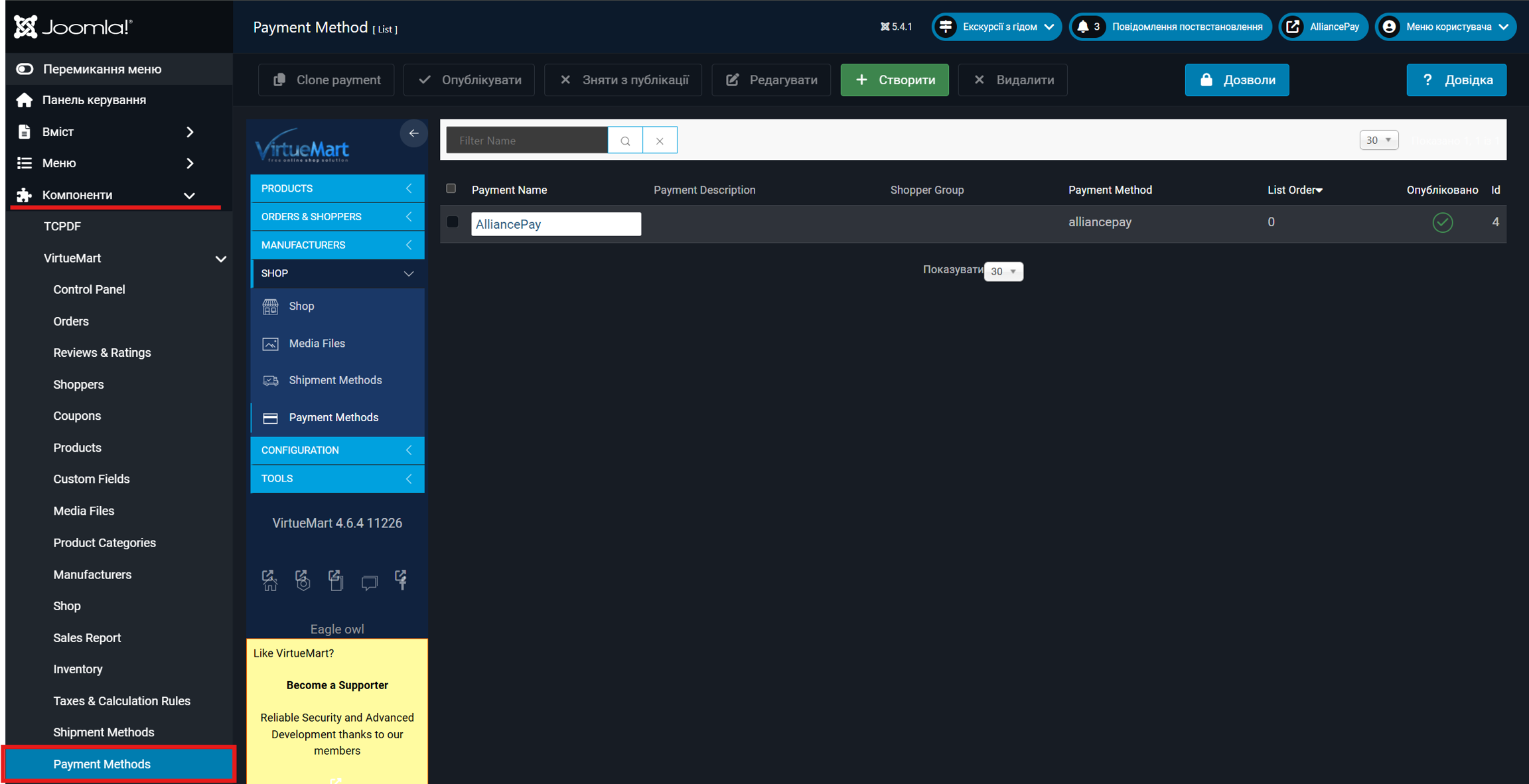
By the path "Components" -> "Payment Methods"
{% endstep %}
{% step %}
### Creating a payment method
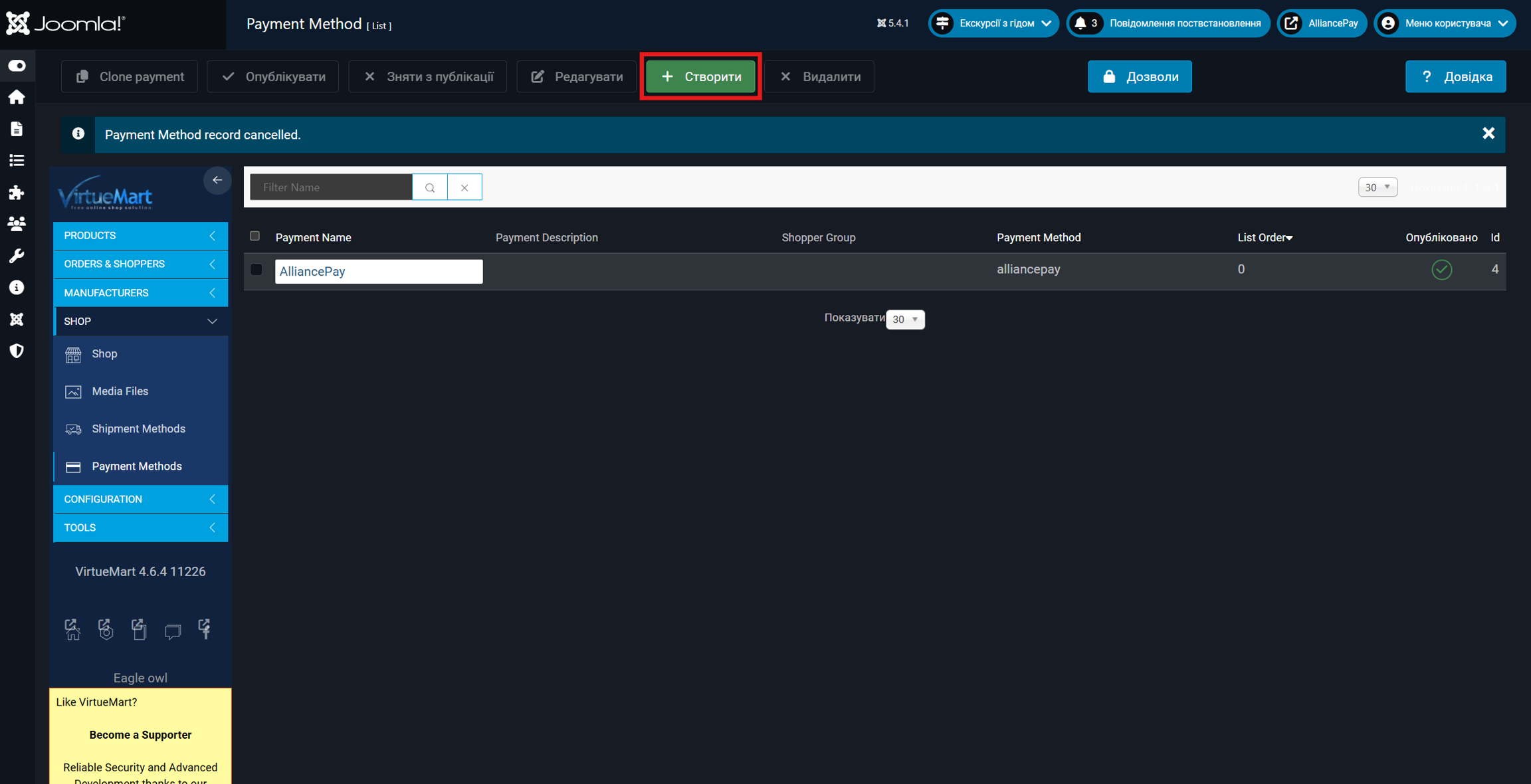
Click on the "Create" button.
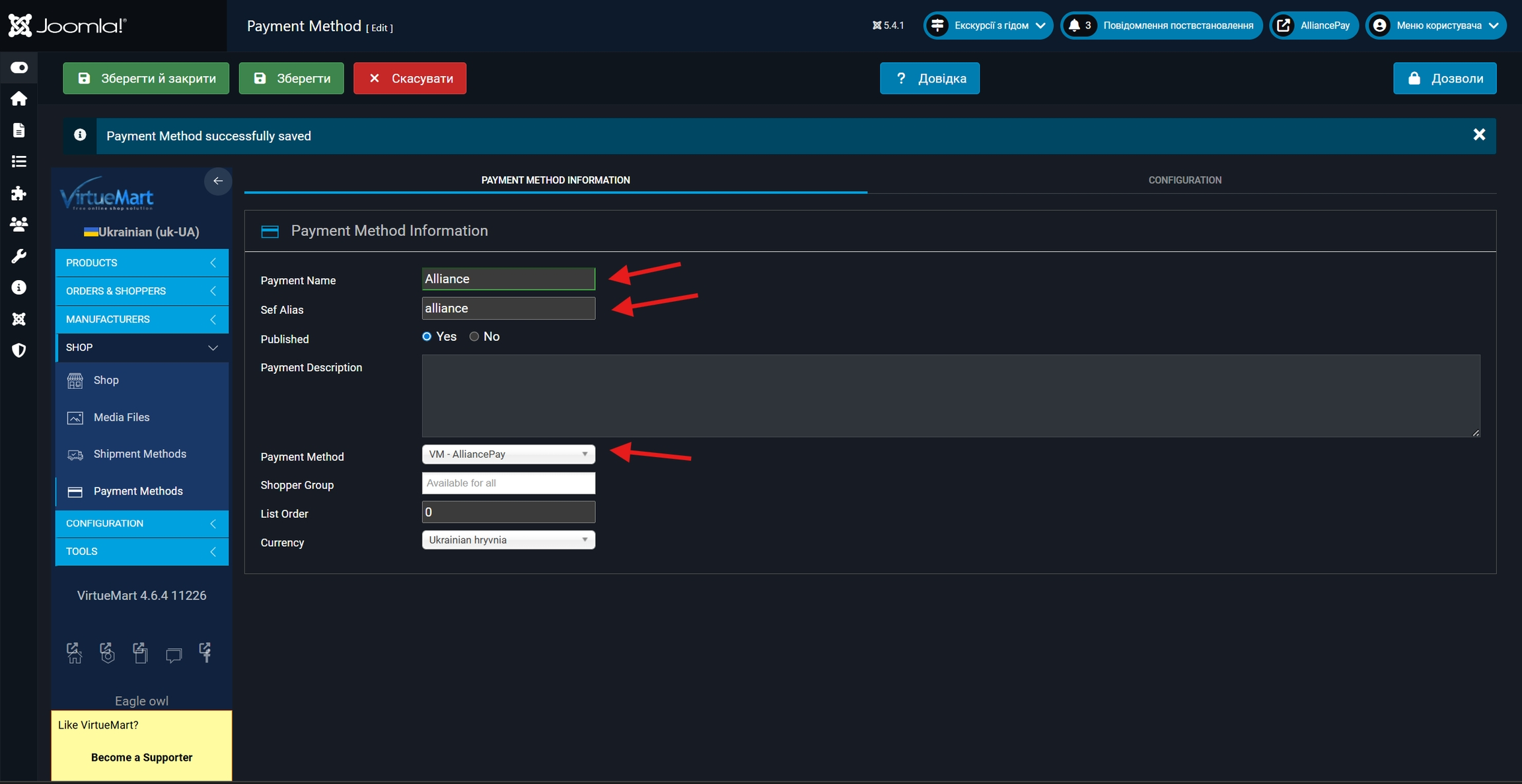
After that, in the new window, you need to fill in the `Payment Name`, `Sef Alias` fields and select `Payment Method == VM - Alliance Pay`
After that, you need to click the "Save" button to open the possibility of configuring the Configuration tab.
{% endstep %}
{% step %}
### Configuration settings, payment method
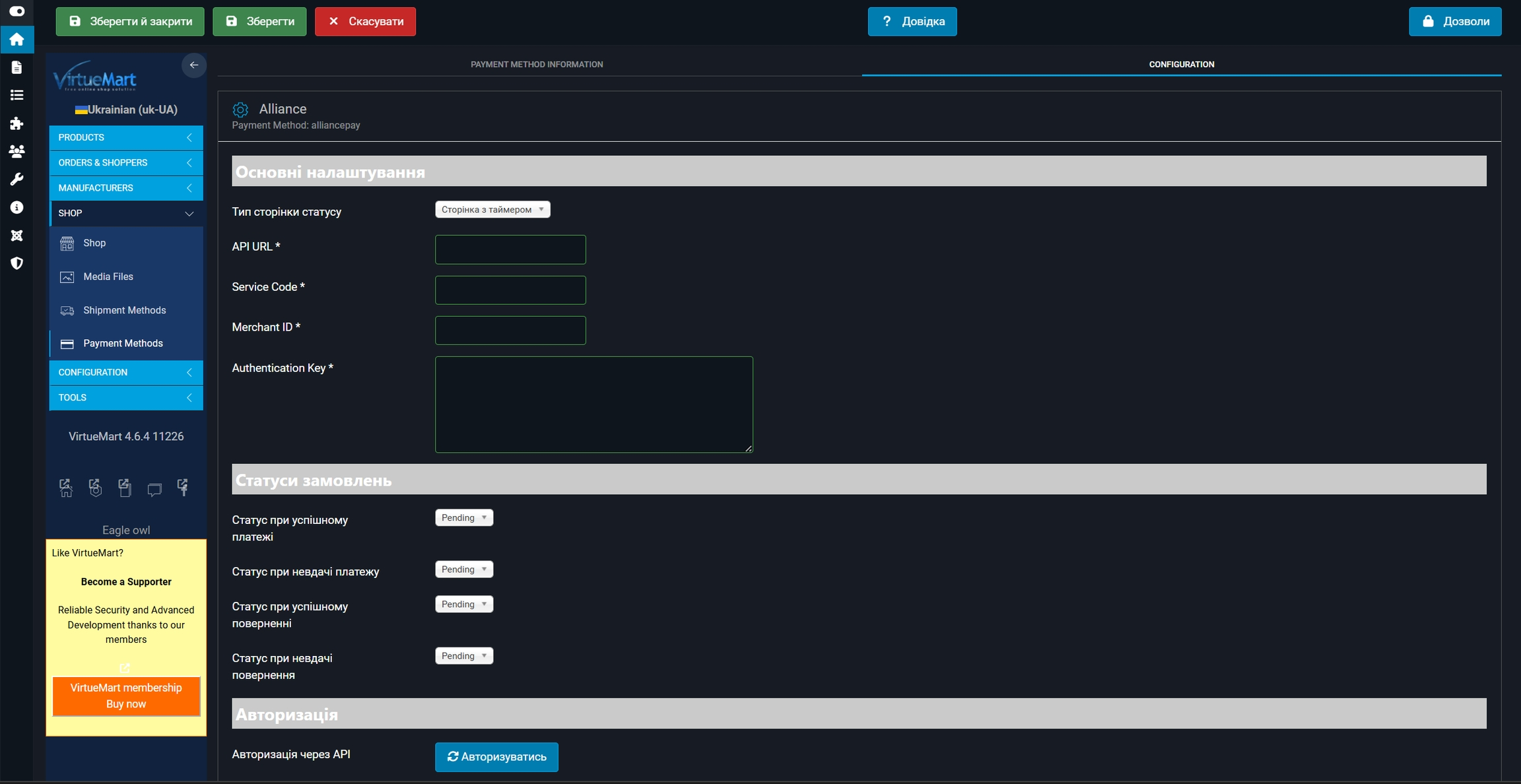
In the Configuration tab, you will need to additionally specify the values that will be provided by the bank employee.
{% hint style="warning" %}
It is mandatory that all fields be filled in for the payment plugin to work correctly.
{% endhint %}
Field description:
* The `Status Page Type` field has three available values:
* Timer Page (`STATUS_TIMER_PAGE`) - default page, if the merchant has not selected the desired type, the timer redirects automatically for 1 minute displaying the status page with automatic redirection of the user to the merchant's site (redirect URL)
* Redirect to the merchant's page (`STATUS_REDIRECT_MERCHANT_PAGE`) - immediate redirection to the merchant's URL
* Status Page (`STATUS_PAGE`) - redirection to our status page (download receipt ...)
* The `API URL` field must be specified -
* The `Service Code` and `Merchant Id` fields will be provided by the bank
* The `Authentication Key` field will need to be generated independently according to the documentation (), where the public part will need to be transferred to the bank employee
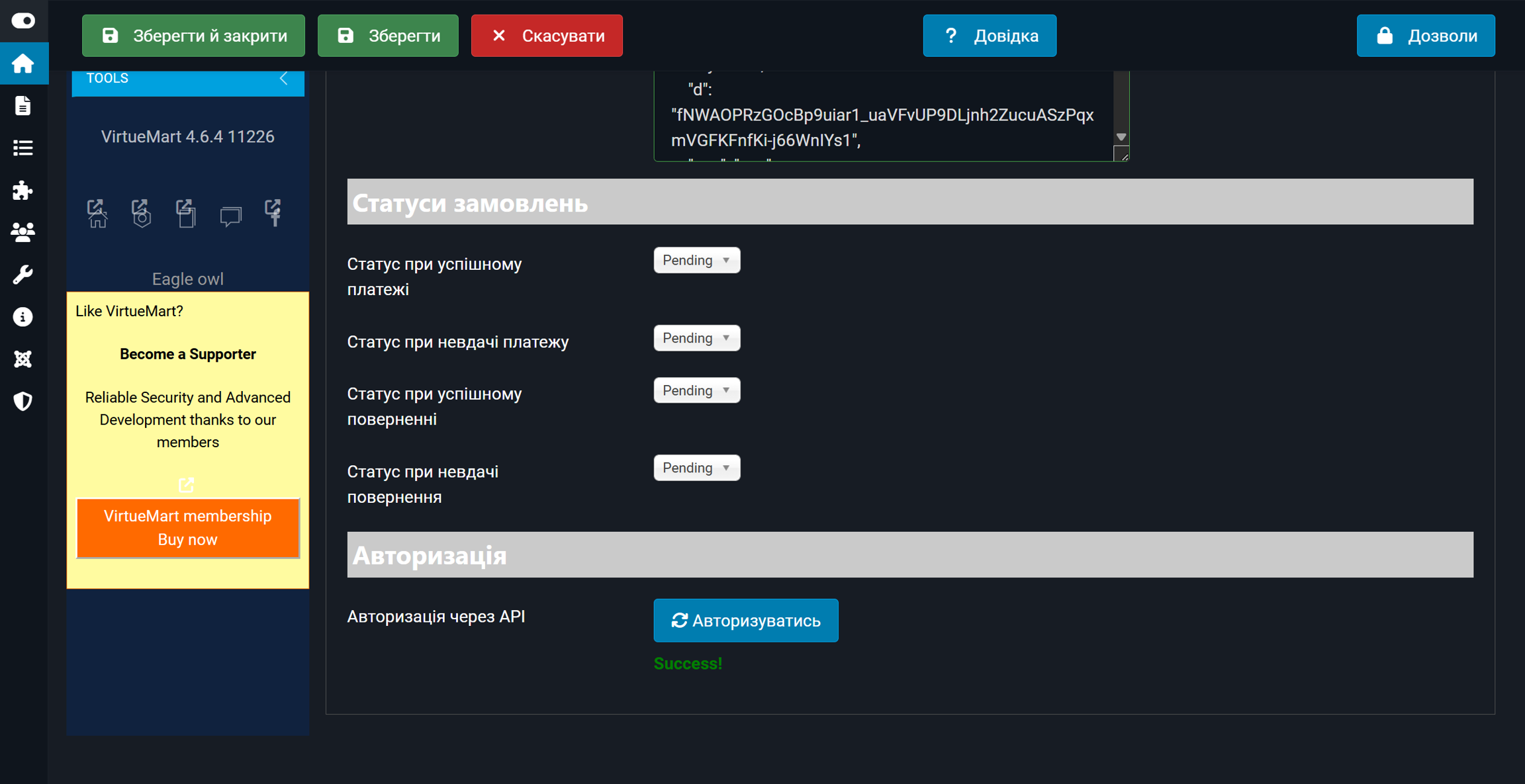
* In the fields `Status on successful payment`, `Status on failed payment`, `Status on successful return`, `Status on failed return` - you need to choose yourself
{% hint style="warning" %}
After configuring all fields, be sure to click the "Save" button and only then click the "Authorize" button.
{% endhint %}
{% endstep %}
{% step %}
### Authorization
As soon as the "Authorize" key has been pressed, the inscription "Success!" should appear under the key.
{% endstep %}
{% endstepper %}