> For the complete documentation index, see [llms.txt](https://docs.merchant.alb.ua/llms.txt). Markdown versions of documentation pages are available by appending `.md` to page URLs; this page is available as [Markdown](https://docs.merchant.alb.ua/en/payment-widgets-for-cms/magento-2/functionality.md).
# Functionality
### Order creation process
After the customer has selected the products and gone to the payment page, they need to choose the payment method via "Alliance Pay"
After that, the buyer is redirected to the payment page to enter personal data.
### View orders in the admin panel
To view all orders, go to `Sales → Orders`
Viewing order details is done via the "View" button.
### Checking order status
{% hint style="info" %}
У разі виникнення проблем з статусом замовлення, присутній функціонал ручної перевірки
{% endhint %}
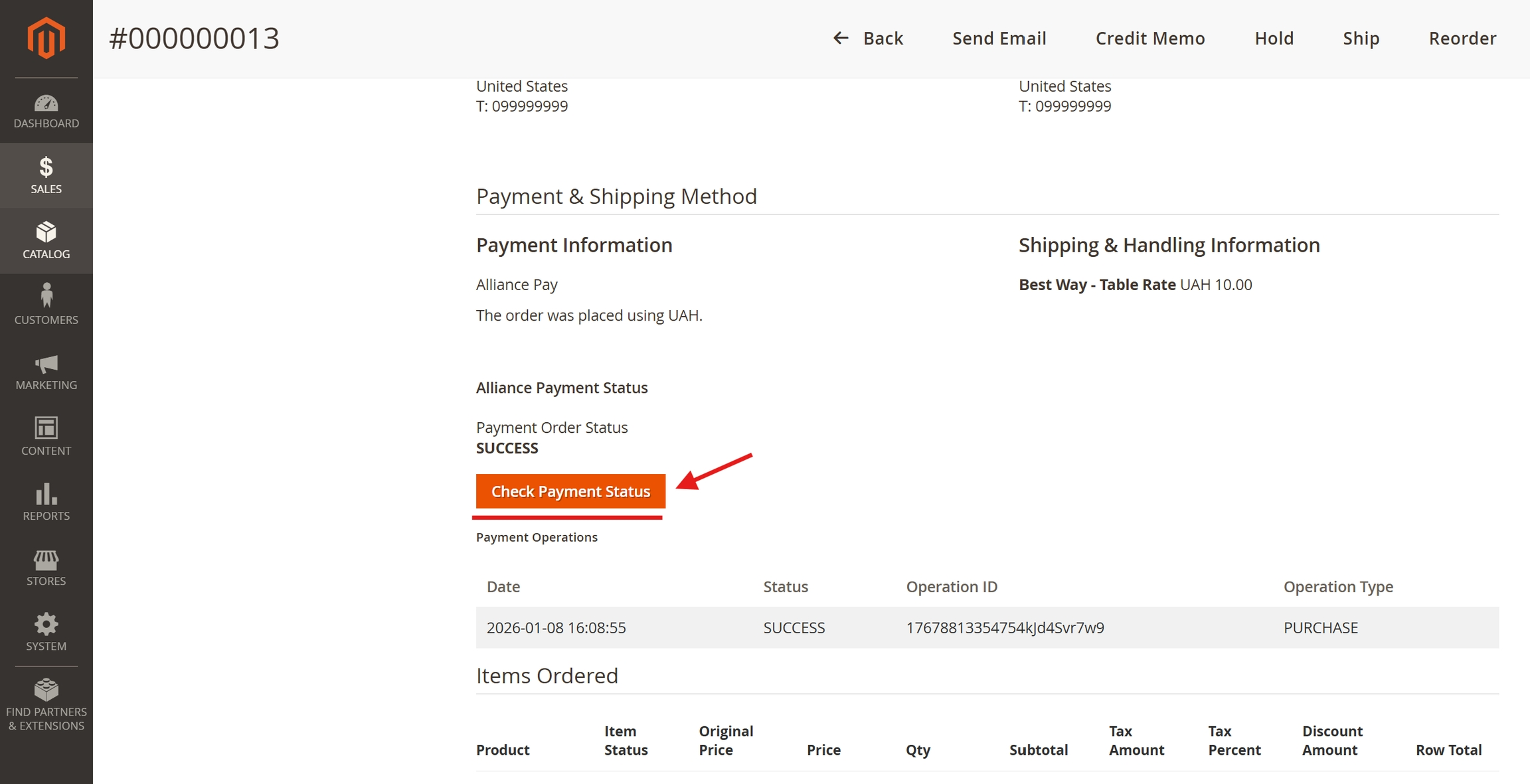
In the payment details there is a section called "Payment & Shipping Method"
When you click on the "Check Payment Status" button, the order status will be checked.
### Making refunds
To make a refund, you need to go to the payment details and go to "Invoices"
And we go to the invoice details via "View"
{% hint style="info" %}
The invoice status must be "Paid", which indicates its success.
{% endhint %}
In the invoice details, you need to create a return document by clicking on "Credit Memo"
Then in the "Items to Refund" section, you need to select all the products in the "Qty to Refund" column
Then press the "Refund" button
{% hint style="warning" %}
Refund Offline will not create a request to the Alliance Bank API for a refund, this is a standard process for Online\Offline payment methods
{% endhint %}
After completing the return, a new operation with the type "Refund" will appear in the order details, and the "Item Status" column will change to "Refunded"